AI image generation has evolved insanely fast. And if you’re searching for the Best Free AI Image Generator Tools in 2026, you’ll be surprised how far these tools have come. We’re no longer dealing with blurry faces or strange hands — in 2026, even free AI tools can produce studio-quality product shots, cinematic portraits, typography-perfect posters, and ad-ready creatives.
Because I create content every day — thumbnails, blog visuals, Instagram creatives, and ad designs — I’ve personally tested all major free AI image generators this year. Everything below comes from real usage, not generic lists.
Let’s dive in.
What I Look For in Any Free AI Image Tool
Before I add a new tool to my workflow, I judge it based on these five factors:
- Image quality – realistic, sharp, high-resolution
- Ease of use – clean UI, fast generation, minimal learning curve
- Free plan value – daily credits, unlimited generations, watermark-free downloads
- Style options – photorealistic, 3D, anime, flat, branding, typography
- Commercial usability – clear licensing, safe for business and content
1. Bing Image Creator (DALL·E 3)
Still the most accessible and powerful free AI image generator.
Why I use it:
- Super clean interface
- Photorealistic quality even with simple prompts
- Perfect for blog graphics, portraits, and marketing visuals
Best for:
Anyone who wants fast, high-quality results with zero learning curve.
Exploring the Best Free AI Image Generator Tools in 2026
2. Leonardo AI
One of my top choices for detailed, stylized images.
Why I love it:
- Incredible hyper-realistic product renders
- Amazing for fantasy, anime, and gaming art
- Huge variety of styles
Best for:
Creators who want more creative control over style, lighting, and composition.
3. Stable Diffusion (Open Source)
The king of customization.
Why it stands out:
- Hundreds of downloadable custom models
- Ideal for unique styles
- Can run locally for free
Best for:
Designers who want deep customization or unlimited, cost-free generations.
4. Playground AI
My go-to tool for bulk creation.
Why it’s useful:
- Very fast
- Generous free plan
- Great for batch content creation
Best for:
Users who need lots of images daily — social content, thumbnails, ideas, etc.
5. Craiyon
Lightweight and great for quick ideas.
Best for:
Sketches, concept drafts, fun ideas, and meme-style images.
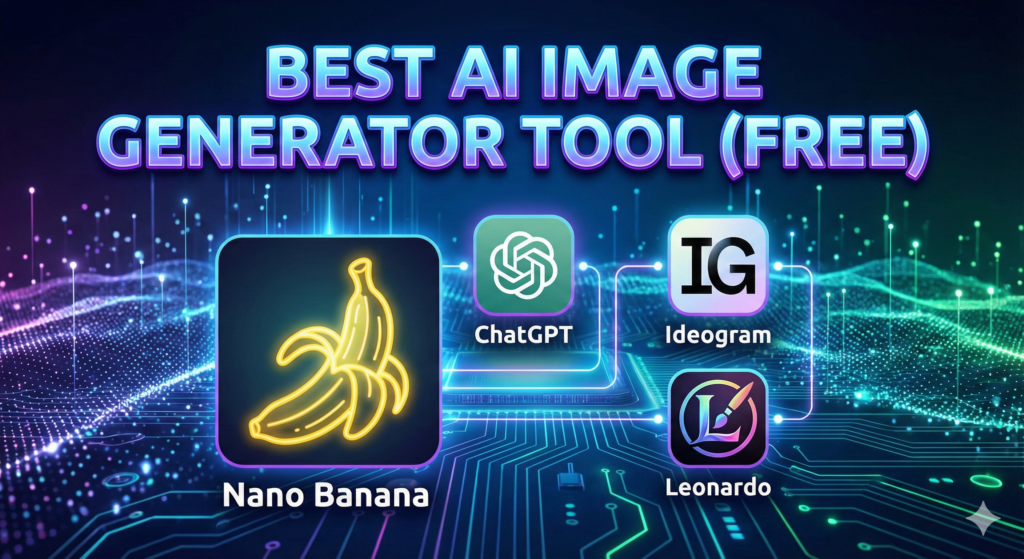
6. Nano Banana — The Fastest & Cleanest Free AI Image Generator in 2026
This tool has exploded in popularity, especially among marketers.
Why I personally use Nano Banana:
- Super clean UI
- Extremely fast and minimalistic
- Great for Facebook ads, banners, and creative testing
- Surprisingly high-quality output
- Excellent with detailed prompts
Best for:
Creators and marketers who want agency-level visuals quickly — and free.
7. Canva AI Image Generator
A perfect all-in-one solution for design + AI.
Why Canva’s AI generator is a game-changer:
- Generate images inside your design layout
- Perfect for social media, thumbnails, ads, posters
- Works seamlessly with templates
- Great for beginners
Bonus:
You can generate → design → export without switching apps.
Best for:
Social media managers, freelancers, agencies, and creators.
8. Ideogram
Legendary for accurate text inside images.
Why Ideogram is special:
- Perfect for logos
- Great for posters, T-shirt art, branding
- Clean and readable typography
- Ideal for ad creatives needing accurate text
I use it when:
I need typography, poster designs, or merch-style graphics.
Best for:
T-shirt designers, branding, logos, posters, and ad creatives.
9. Other Notable Mentions
- Modelia – Best for realistic portraits
- NightCafe – Great artistic variety
- Fotor AI Art – Perfect for social posters
Comparison Table — Best Free AI Image Generator Tools 2026
Below is an updated comparison table featuring our focus keyword naturally and cleanly:
| Tool | Strength | Best For | Free Tier |
| Bing (DALL·E 3) | Photorealism | Blogs, social visuals | Unlimited slow + boosts |
| Leonardo AI | Artistic detail | Concept art, fantasy | Daily credits |
| Stable Diffusion | Full control | Custom styles | Unlimited (self-hosted) |
| Playground AI | High volume | Bulk image creation | Generous daily limit |
| Craiyon | Quick drafts | Sketches, memes | Unlimited |
Nano Banana | Speed + quality | Ads, creatives | Free |
| Canva AI | Integrated design | Social media, thumbnails | Free inside Canva |
| Ideogram | Text accuracy | Posters, logos, merch | Free |
My Personal Workflow (How I Use Each Tool)
| Goal | Tool I Use | Why |
| Blog graphics | Bing + Canva | High-quality + immediate design use |
| Social media posts | Canva + Nano Banana | Fast + aesthetic |
| Logo / typography | Ideogram | Best text accuracy |
| Fantasy / concept art | Leonardo | Style + detailing |
| Ads / product creatives | Nano Banana | Clean, crisp visuals |
| Unique art styles | Stable Diffusion | Custom models |
Final Thoughts — Which One Should You Use?
Here’s the quick breakdown:
- Fastest + easiest: Nano Banana
- Most realistic images: Bing Image Creator
- Best for design workflows: Canva
- Best text-based images: Ideogram
- Most customizable: Stable Diffusion
- Best for stylized art: Leonardo AI